
Quick Start
Sign up, run your first backlink audit, and start monitoring in under 5 minutes.
This guide walks through the shortest path from zero to your first audit and monitored links. By the end, you will have:
- A free account
- An audit of up to 50 backlinks with AI scores
- Up to 5 backlinks under continuous monitoring with email alerts
Total time: about 5 minutes.
Create a free account
Go to the Register page. Sign up with Google or with email and password.
The free plan needs no credit card. You get 1 audit per month, 5 monitored links, and weekly check frequency. Enough to evaluate every workflow on a real domain.
Add your first workspace
Right after signup, TraceLinker asks for the domain you want to protect. Enter a name and the destination domain your backlinks should point to. This keeps every audit and monitoring result attached to the correct project.
After saving, you go directly to the first audit rather than an empty dashboard.
Run your first audit
The audit page offers three input choices, depending on your plan:
- Manual entry — add one or more source URLs directly.
- CSV upload — paste or upload a list of source URLs and optional anchor text.
- Auto-discover — paid plans can fetch candidate links from a third-party backlink index using credits.
Google Search Console does not expose backlinks through its public API. Connecting GSC is optional and enables verified-property listing and URL Inspection after an audit; it does not import backlinks automatically. See GSC Integration.
For a quick test, paste a small CSV with the format below. Set the target domain to your own site (the destination the source links should point at).
source_url,anchor_text
https://example.com/blog/post-1,best widget tool
https://news.example.org/2024/widgets,Widget IncThen click Run audit.
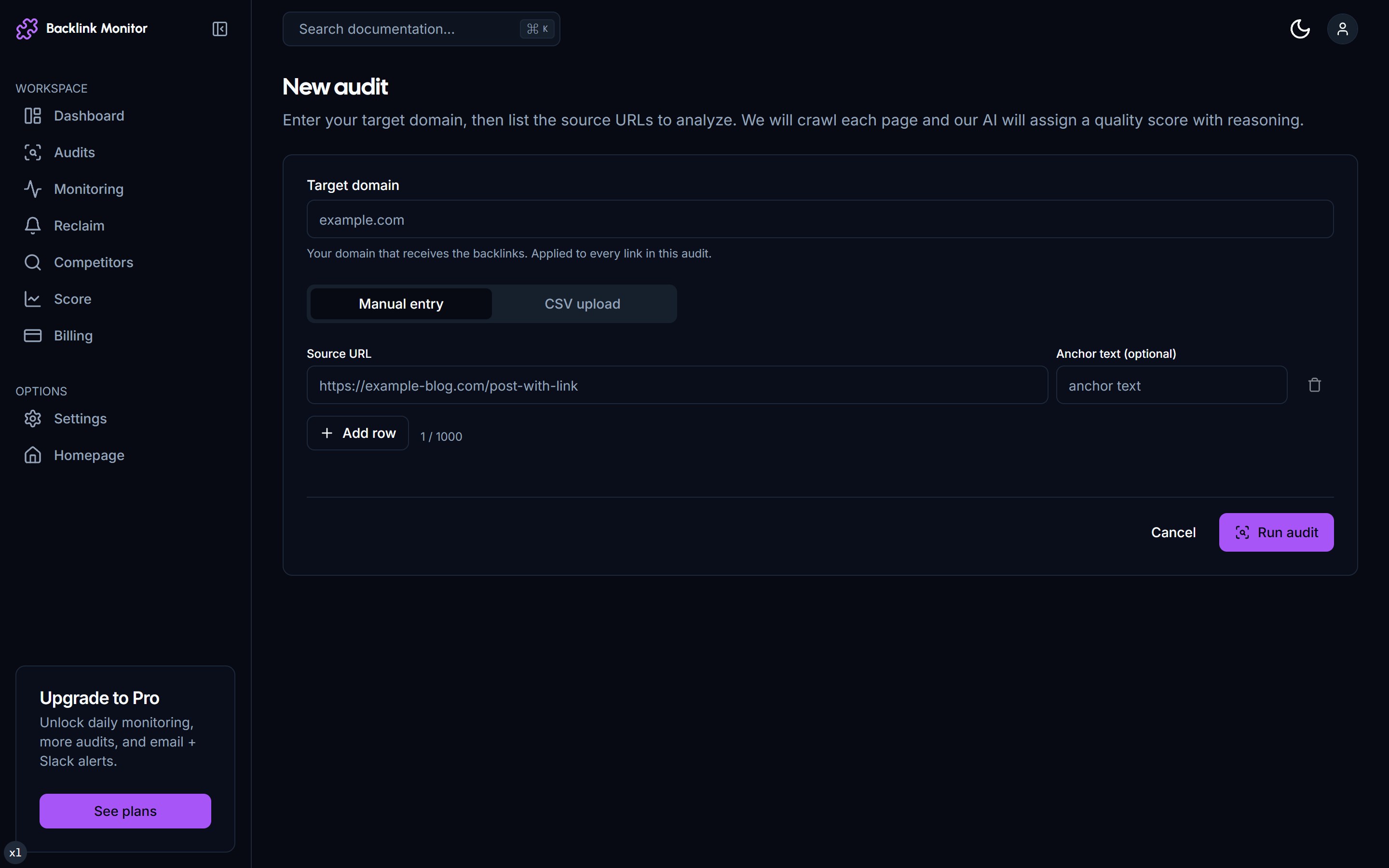
Watch the audit run live
You are redirected to the audit detail page immediately. The progress bar climbs as our crawler fetches each source URL and our AI model generates a 1-100 score with reasoning.
Completion time depends on the source sites and queue load. You can navigate away and come back—the audit runs server-side and an email arrives when it finishes.
📸 Audit detail page with progress bar and rows streaming in
Read the results
When the run finishes, each row shows:
| Column | Meaning |
|---|---|
| Source | The page that links to you. |
| Anchor | Anchor text used (or "[image]" if it is an image link). |
| Result | Whether the page was crawled and the expected backlink was found. |
| Score | AI score 1-100. Above 70 is valuable, 30-70 is borderline, below 30 is suspicious. |
| Reasoning | One sentence explaining the score (relevance, authority signals, anchor naturalness, dofollow, placement). |
| Toxicity | safe, caution, or toxic based on PBN, anchor over-optimization, suspicious context heuristics. |
| Actions | Monitor the link or open its available workflow actions. |
📸 Audit detail page showing scored rows with reasoning column
Use the row actions to monitor a valuable link or create an outreach draft when appropriate.
Move valuable links to monitoring
In the audit detail page, use Monitor on the valuable rows you want to protect. This adds them to the Monitoring section where they are re-checked on your selected plan frequency (weekly on Free; daily or weekly on Pro; hourly, daily, or weekly on Agency).
📸 Selecting rows and clicking Move to monitoring
You will get an email any time one of those links transitions:
alive → changed- anchor edited, link still works.alive → dead- link removed or page 404. Paid plans automatically create a reclaim draft.dead → alive- link came back (rare but worth knowing).
Check your Backlink Score
Click Score in the sidebar. You will see a single composite number 0-100 with a letter grade (A through F). The breakdown shows:
- Quality (50%) - average AI score of monitored + valuable discovered backlinks.
- Diversity (25%) - unique source domains + TLD spread.
- Toxicity (25%) - subtracted: percentage of toxic links in the profile.
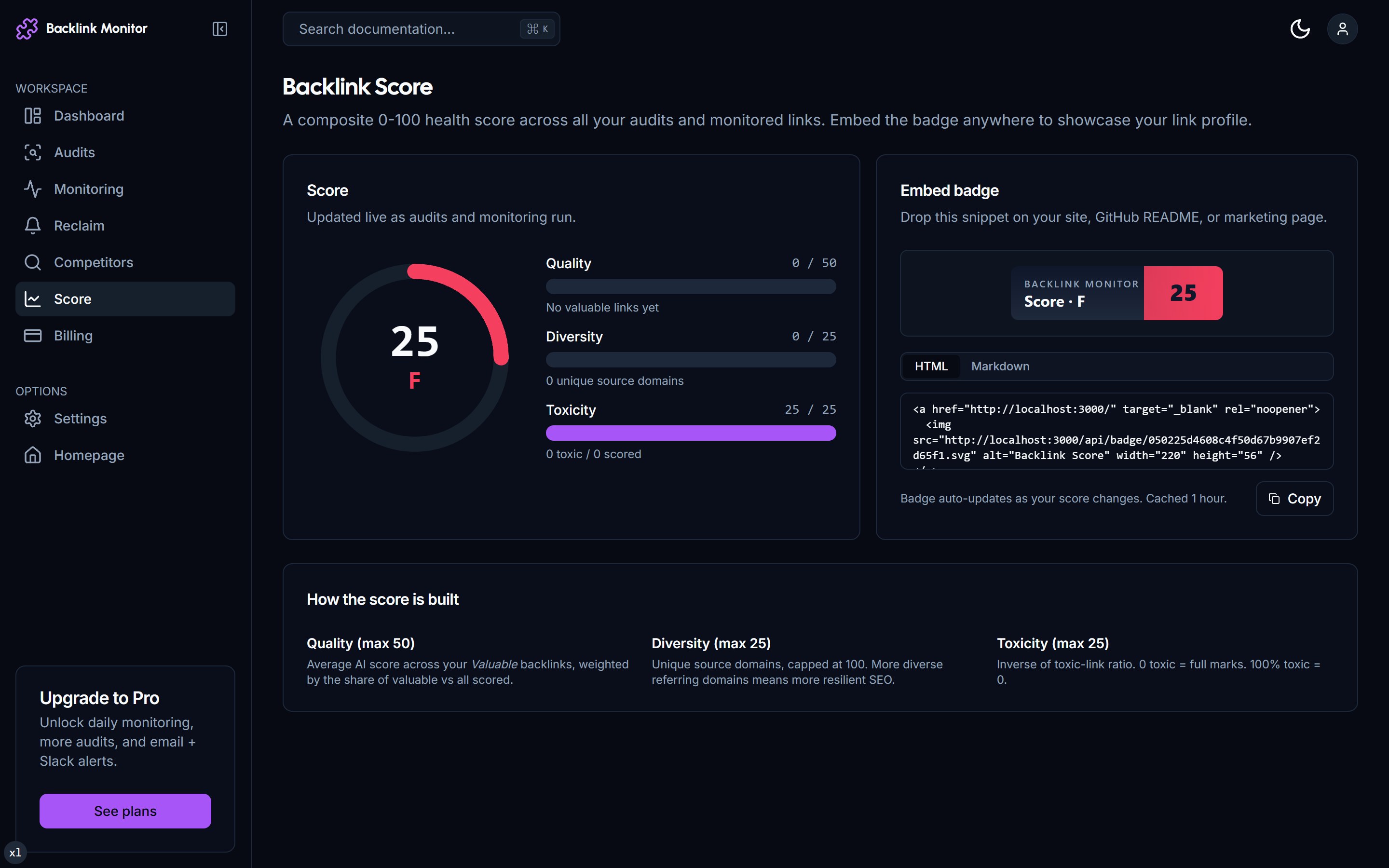
You also get an embed snippet for an SVG badge. Paste the snippet anywhere on your site to display the score publicly.
What's next
You have just done the full TraceLinker loop in miniature. From here, learn the deeper workflows:
- Run a Backlink Audit - large CSVs, deduplication, GSC vs CSV trade-offs.
- Set Up Monitoring - choosing frequencies, transitions, alert tuning.
- Reclaim Lost Links - turn the auto-drafted emails into actual sent outreach.
- Disavow Toxic Links - download a Google-ready disavow.txt.
- Plans & Pricing - when to upgrade from Free to Pro to Agency.
Troubleshooting
My audit is stuck at 50%. Refresh the page. The progress bar polls every 2 seconds; sometimes the polling stalls but the worker is still running. If the audit truly fails, you'll see a red banner with the error and a Retry button.
A link shows dead but I can see it in my browser.
The check uses Mozilla/5.0 user agent without JavaScript execution. If the source page is fully client-rendered (React app with no SSR) or behind Cloudflare bot challenges, we may not see the link even though it exists. Mark it as a False positive in the row dropdown - we re-verify with a different fetch strategy.
My CSV has 1,000 rows but only 50 got processed. Free plan caps audit size at 50. Pro is 200, Agency 1,000. Upgrade in Settings → Billing.