
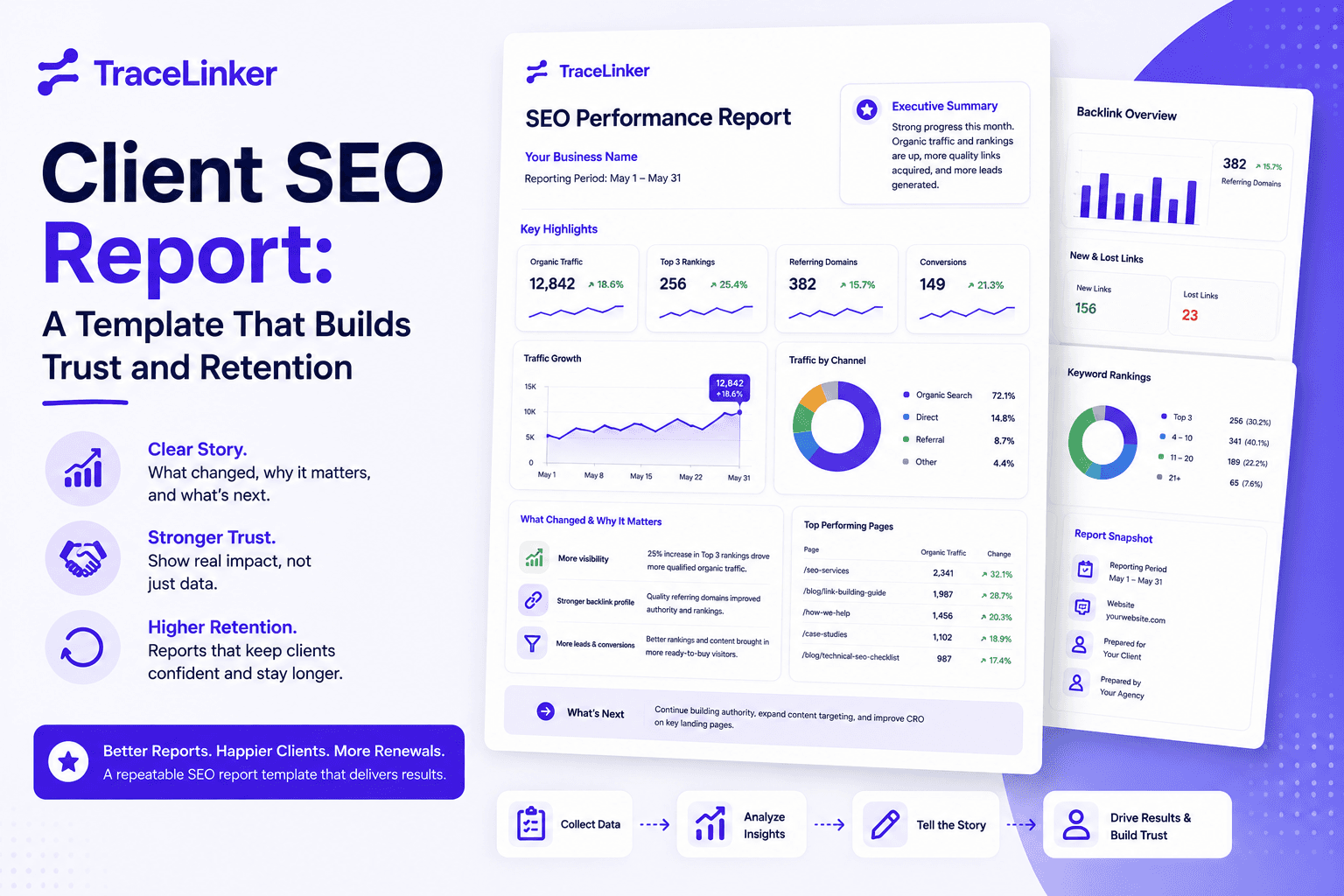


Client SEO Report: A Template That Builds Trust and Retention in 2026
Most client SEO reports fail before they are opened. They arrive late, look like dashboards exported to PDF, and ask the client to do the interpretation. The result is a one-way ticket to the “I’ll read it later” folder, followed by a renewal conversation nobody enjoys.
The fix is not prettier charts. It is a report that tells a story: what changed, why it matters, and what happens next. This guide gives you a repeatable client SEO report template that connects your work to business outcomes, reduces churn, and makes monthly calls shorter.
Why client SEO reporting is a retention tool, not a chore
Reporting is the only part of your service the client sees every single month. Strategy happens behind the scenes. Content edits, technical fixes, and outreach are invisible unless you translate them into progress the client understands.
A clear report does three things:
- Builds trust by linking your work to traffic, leads, and revenue.
- Improves retention by showing progress even when rankings fluctuate.
- Creates upsell opportunities by highlighting content gaps, technical issues, and expansion areas.
When reporting is unclear, the client fills in the gaps with assumptions. Usually bad ones. A focused report keeps you in control of the narrative.
The metrics clients actually care about
Clients do not want every SEO metric. They want signals that show whether the investment is paying off. Limit your report to a small set of goal-driven KPIs and explain each one in plain language.
| Metric | What it tells the client | Best way to present it |
|---|---|---|
| Organic traffic | Are more people finding us through search? | Line chart with MoM and YoY comparison |
| Conversions / leads | Is SEO driving actual business results? | Total conversions with percentage change |
| Keyword visibility | Are we gaining visibility for priority terms? | Net ranking gains and losses |
| Backlinks | Is our authority growing? | New links earned with quality notes |
| Click-through rate | Are our listings compelling? | Average CTR with annotated changes |
| Core updates / seasonality | Why did numbers move? | Short context paragraph |
If a metric does not influence a decision, remove it. Vanity metrics like total impressions or keyword count without context make the report noisy.
The 1-page client SEO report template
This template is designed for busy clients. It can be delivered as a PDF, a slide deck, or the executive summary at the top of a longer report.
1. Executive summary (3–4 sentences)
State the headline. Example: “Organic traffic grew 12% month over month, driven by the technical fixes in June and the two content briefs we published. Leads from organic search increased from 34 to 51. The main focus for July is expanding the commercial page cluster and improving pages ranked 11–20.”
2. Wins and what changed
List 2–3 concrete outcomes tied to your work. Be specific. “Fixed canonical tag issue on /products” is better than “technical SEO improvements.”
- Published 4 optimized pages targeting bottom-funnel keywords.
- Resolved index bloat affecting 120 thin URLs.
- Earned 6 new backlinks from industry-relevant domains.
3. Metrics snapshot
Show the key numbers. Use charts for trends and tables for detail. Keep each section to one chart or table.
| Metric | This month | Last month | Change |
|---|---|---|---|
| Organic sessions | 8,420 | 7,520 | +12% |
| Organic leads | 51 | 34 | +50% |
| Ranking keywords (top 20) | 186 | 162 | +24 |
| New backlinks | 6 | 3 | +3 |
4. Context and narrative
This is where most reports fail. Every major shift needs an explanation. Was it an algorithm update? A seasonal spike? A new content piece? A technical fix? Say so in one or two sentences.
If numbers dropped, explain why and what you are doing about it. Hiding bad news destroys trust. Clients expect volatility; they do not expect silence.
5. Next steps and recommendations
End every report with action. Clients should know what happens next before they ask.
- Expand content around the 12 keywords we rank 11–20 for.
- Improve page speed scores on the two slowest landing pages.
- Refresh the top 5 blog posts that have lost traffic in the last 90 days.
Each recommendation should tie directly to a metric shown above.
Monthly cadence and reporting schedule
For most retainers, monthly reporting is the right cadence. It gives enough data to show trends without overwhelming the client or creating noise. Send reports on the same day each month and keep the structure identical. Consistency makes comparison easier and builds trust.
Use weekly updates only when you are running experiments or fixing urgent issues. Quarterly reports should include a deeper audit of technical health, content gaps, and backlink quality. If you need a structured way to run that audit, our web audit checklist covers the full SEO, UX, and backlink review process.
Common client SEO report mistakes to avoid
| Mistake | Why it hurts | How to fix it |
|---|---|---|
| Too many KPIs | Clients lose focus | Limit to 4–6 goal-driven metrics |
| No context | Numbers feel random | Add a one-line explanation for each major change |
| No recommendations | Report feels passive | End with 2–3 clear next steps |
| Inconsistent format | Progress is hard to compare | Use the same template every month |
| Jargon without explanation | Clients tune out | Define terms or replace them with business language |
| Hiding bad months | Trust breaks later | Explain dips and show the recovery plan |
Tools that make client reporting easier
Manual reporting does not scale. As your client list grows, you need automation for data collection, formatting, and delivery. Popular options include:
- Google Looker Studio: Free and flexible, but requires setup and maintenance.
- Reporting Ninja / AgencyAnalytics: Plug-and-play client dashboards with scheduled delivery.
- TraceLinker: Backlink monitoring, CSV analysis, and report templates built for SEO teams.
Inside TraceLinker, you can use the backlink report template to standardize the link section of your client reports, and the anchor text analyzer to spot over-optimized or toxic anchor patterns before they become a problem. If you are still setting up measurement infrastructure, our configuring Google Analytics guide walks through GA4 setup so your traffic and conversion data is trustworthy.
How to present backlinks in a client SEO report
Backlinks are one of the hardest areas to report clearly. Clients do not care about raw link counts. They care about whether authority is growing and whether the links are safe.
Report backlinks in three lines:
- New links earned: list the source URL, target page, and a one-line note on why it matters.
- Lost links: flag any lost authoritative links and whether they are worth reclaiming.
- Risk signals: highlight any toxic or suspicious links and the disavow action taken.
For a faster workflow, export your link data into the backlink CSV analyzer to classify links, spot anchor text issues, and generate the summary table for your report.
A simple monthly SEO report example
Here is what the final one-page summary can look like:
Executive summary: Organic traffic grew 12% this month and organic leads increased 50%. Growth came from the technical fixes and content published in June. Next month we will expand commercial pages and improve pages ranked 11–20.
What changed:
- Fixed canonical and indexation issues on 120 thin URLs.
- Published 4 optimized bottom-funnel pages.
- Earned 6 new backlinks from relevant domains.
Metrics:
- Organic sessions: 8,420 (+12%)
- Organic leads: 51 (+50%)
- Keywords in top 20: 186 (+24)
- New backlinks: 6 (+3)
Next steps:
- Expand content around 12 priority keywords ranked 11–20.
- Improve page speed on the two slowest landing pages.
- Refresh the top 5 posts that have lost traffic in the last 90 days.
This format takes less than 15 minutes to read and gives the client everything they need to understand progress and approve next steps.
Final thoughts: reporting is part of the product
A great SEO report is not a summary of everything you did. It is a summary of everything the client should care about. Focus on business outcomes, add context, and end with action. Do that consistently and reporting becomes a reason clients stay, not a reason they leave.
If you want to make backlink reporting faster and more accurate, sign up for TraceLinker and use the free backlink checker, anchor text analyzer, and backlink report template to build client-ready reports in minutes.