
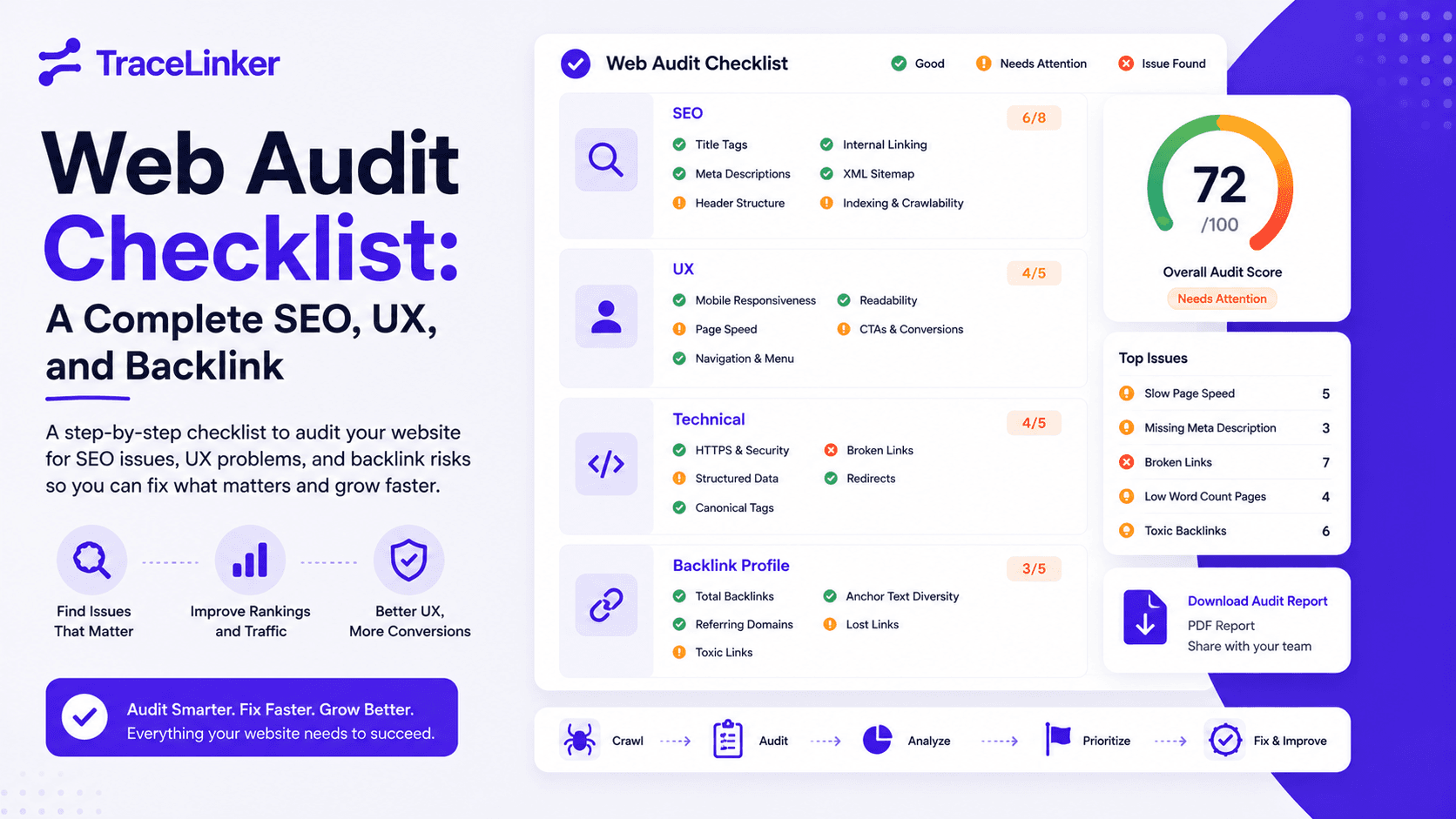


Web Audit Checklist: A Complete SEO, UX, and Backlink Review for 2026
A website audit is the fastest way to stop guessing about why your site is not ranking and start fixing the real problems. Traffic drops, slow rankings, and low conversions are usually symptoms of several smaller issues stacked together: technical debt, weak content, poor user experience, or a backlink profile that has turned toxic.
This web audit checklist gives you a practical, step-by-step framework to review every important part of your site. It is built for busy SEOs, marketers, and site owners who want a reliable process without paying for an expensive audit agency.
Why a web audit matters
Websites are never "done." Every CMS update, plugin change, content edit, and new backlink can shift your site’s health. A regular audit helps you:
- Catch indexing and crawlability issues before they kill traffic.
- Find content that is outdated, duplicated, or missing search intent.
- Spot broken links and poor user experience that hurt conversions.
- Identify toxic or lost backlinks that affect your authority.
- Prioritize fixes by impact, not by guesswork.
Google’s ranking systems reward sites that are fast, useful, trustworthy, and easy to crawl. A structured audit is how you prove your site meets those standards.
What you need before you start
You do not need every tool on the market, but a few free and affordable tools make the audit much faster:
- Google Search Console — Essential for indexing, coverage, and Core Web Vitals.
- Google Analytics 4 — For traffic trends, engagement, and conversion data.
- PageSpeed Insights — For Core Web Vitals and mobile performance.
- Screaming Frog (free up to 500 URLs) — For technical SEO crawling.
- TraceLinker — For backlink quality, anchor text analysis, and toxic link cleanup.
- A spreadsheet — To track issues, owners, and deadlines.
The web audit checklist
1. Quick health check
Start with a high-level pass to catch obvious problems. This is the "does the site still work?" phase.
- The homepage and key pages load without errors.
- The site is reachable over HTTPS.
- The mobile version is usable and responsive.
- Main navigation and footer links work.
- Contact forms, sign-up forms, and CTAs submit correctly.
- No intrusive pop-ups block mobile users.
- Branding, logo, and business information are consistent and accurate.
- Analytics and Search Console are collecting data.
If you find problems here, fix them before moving to deeper audits. A broken form or insecure page undermines every other optimization.
2. Technical SEO audit
Technical SEO is the foundation. If search engines cannot crawl or index your site, nothing else matters.
- Only intended pages are indexed. Check the Coverage report in Google Search Console.
- The
robots.txtfile is present and does not block important pages. - An XML sitemap exists and is submitted in Search Console.
- URLs are clean, descriptive, and free of unnecessary parameters.
- Canonical tags are set correctly on duplicate or near-duplicate pages.
- Redirects are purposeful. Fix redirect chains and loops.
- The site uses HTTPS everywhere, with HTTP versions redirecting to HTTPS.
- Core Web Vitals (LCP, INP, CLS) are within Google’s "Good" thresholds.
- No major JavaScript errors block rendering or tracking.
- Structured data is valid and does not trigger warnings in Search Console.
Use Screaming Frog or a similar crawler to export a list of 404s, redirects, missing meta tags, and duplicate titles. This becomes your technical backlog.
3. SEO content audit
Content is how Google understands your site and how users decide to trust you. This audit focuses on relevance, quality, and optimization.
- Each page has a unique, descriptive title tag under 60 characters.
- Each page has a unique meta description that encourages clicks.
- The H1 tag is present once per page and includes the main topic.
- Heading hierarchy (H1 → H2 → H3) is logical and not skipped.
- Content matches search intent and answers the user’s question.
- Pages are not thin, duplicated, or outdated.
- Images have descriptive file names and alt text.
- Internal links connect related pages with descriptive anchor text.
- Keyword targeting is natural, not stuffed.
- High-priority pages are linked from the homepage or main navigation.
For pages with declining traffic, compare them against the current top-ranking results. Often the content is simply less thorough or less useful than what is ranking now.
4. Backlink profile audit
Backlinks remain one of the strongest ranking signals, but a bad backlink profile can hurt you more than no links at all. This is where TraceLinker becomes especially useful.
- You have a complete list of referring domains.
- Links come from relevant, trustworthy sites in your niche or industry.
- Anchor text is varied and natural, not overloaded with exact-match keywords.
- There are no sudden spikes of low-quality links from unrelated countries.
- You have identified and removed or disavowed toxic links.
- You know which high-value links have been lost recently.
- Your competitors have links from sites you do not — those are opportunities.
Use the Free Backlink Checker to get a quick overview of your profile. For deeper analysis, export your links from Google Search Console or Ahrefs/Semrush and run them through the Backlink CSV Analyzer. The Anchor Text Analyzer will show if your anchor text looks natural or over-optimized.
If you find toxic links, use the Disavow File Generator to create a Google-ready disavow.txt file.
For ongoing monitoring, TraceLinker’s paid plans track link status changes, alert you to lost or changed links, and score every link with transparent AI reasoning. Start with Pro for $9/month or explore the Agency plan for white-label reports and team collaboration.
5. User experience and design audit
A technically perfect site can still fail if users cannot find what they need. This audit focuses on how real people interact with your pages.
- The homepage immediately communicates what the business does.
- Navigation is intuitive and consistent across pages.
- Buttons and links look clickable and are large enough to tap on mobile.
- Forms are short, clearly labeled, and show helpful error messages.
- The visual hierarchy guides users toward the main action.
- Color contrast is strong enough for readability.
- Fonts, spacing, and layout are consistent across the site.
- Important pages are reachable within three clicks from the homepage.
- 404 pages are helpful and include a path back to the main site.
Test the site on a real mobile device, not just a desktop browser. Many UX issues only appear on actual phones.
6. Website accessibility audit
Accessibility is both a legal risk and a user-experience issue. The checklist below covers the most common WCAG-level problems.
- All images have descriptive alt text.
- Videos have captions or transcripts.
- Text contrast ratio is at least 4.5:1 against the background.
- Interactive elements can be navigated using only a keyboard.
- Form fields have clear labels.
- Error messages explain how to fix mistakes.
- Headings use semantic HTML tags (H1, H2, H3).
- Content is readable when zoomed to 200%.
- Color is not the only way information is conveyed.
Free tools like WAVE and axe DevTools can quickly flag common accessibility issues.
7. Conversion rate optimization (CRO) audit
Once traffic arrives, the site must convert. A CRO audit focuses on turning visitors into leads, subscribers, or customers.
- Each key page has one clear primary call to action.
- CTAs are visible above the fold on desktop and mobile.
- Landing pages match the messaging of the ads or links that send traffic.
- Forms ask for the minimum information needed.
- Trust signals (testimonials, reviews, security badges, privacy links) are present.
- Thank-you pages or confirmation messages set clear next steps.
- Key events and conversions are tracked in GA4.
- Pop-ups, chat widgets, and banners do not interfere with core tasks.
Small CRO improvements often deliver faster ROI than traffic improvements, especially on sites that already get visitors.
How often should you run a web audit?
- Full audit: Once per quarter for active sites, or twice per year for smaller sites.
- Mini audit: Monthly. Check Search Console coverage, Core Web Vitals, and broken links.
- Backlink audit: Monthly. New links and lost links can change your authority at any time.
- After major changes: Always audit after a redesign, migration, plugin update, or content overhaul.
Tools and next steps
This checklist is intentionally tool-agnostic, but the right tools make audits faster and more repeatable. For the backlink portion of your audit, TraceLinker offers free tools that do not require a credit card:
For a complete SEO workflow that includes backlink monitoring, AI scoring, toxic link alerts, and GSC integration, create a free TraceLinker account and upgrade when you are ready.
Frequently asked questions
What is a web audit? A web audit is a comprehensive review of a website’s technical health, content quality, user experience, accessibility, and backlink profile. It identifies problems and prioritizes fixes.
How long does a web audit take? A basic audit can take 2–4 hours. A deep audit for a large site can take several days, depending on the number of pages and issues found.
Can I run a web audit for free? Yes. Many of the most important checks use free tools like Google Search Console, Google Analytics 4, PageSpeed Insights, and TraceLinker’s free backlink tools.
What is the most important part of a web audit? It depends on the site. For new sites, technical SEO and indexing are usually the priority. For established sites, content quality and backlink health often move the needle most.
How do I prioritize audit findings? Score each issue by impact and effort. Fix anything that blocks indexing, breaks the site, or creates legal risk first. Then focus on high-traffic pages and conversion paths.
Final thoughts
A web audit is not a one-time task. It is a recurring discipline that keeps your site competitive, usable, and trustworthy. Work through the checklist above, document your findings, and turn them into a prioritized action plan.
Start with the quick health check, then move into technical SEO, content, backlinks, UX, accessibility, and CRO. The deeper you go, the more opportunities you will find — and the more confidently you can invest in growth.
Ready to audit your backlink profile? Try TraceLinker’s free backlink checker and see where your authority stands today.