
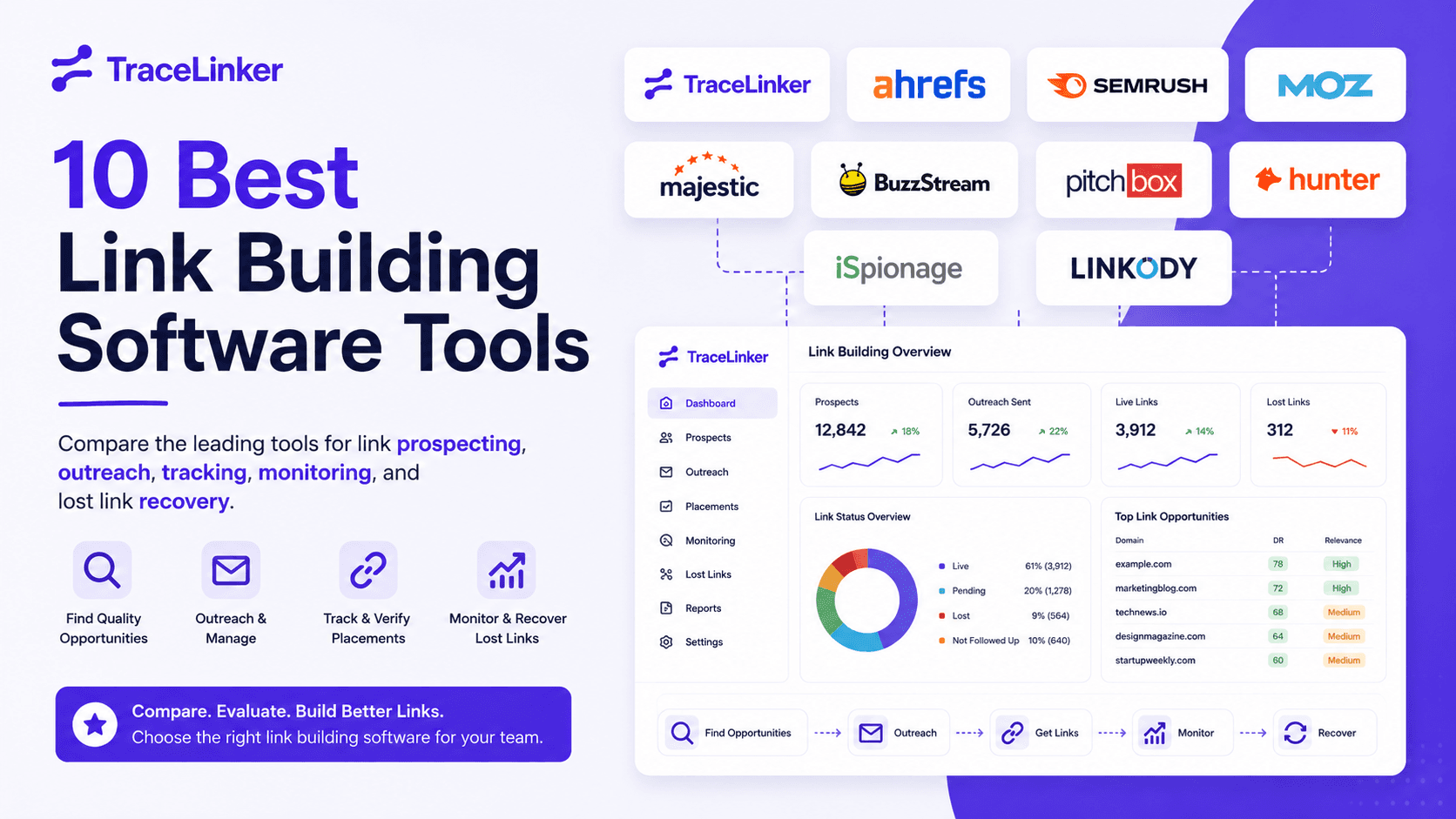


A common breaking point looks like this. Prospects live in one spreadsheet, outreach happens in Gmail, link status sits in Ahrefs or Semrush, and nobody is fully sure which placements are live, lost, pending, or never followed up. The process exists, but the system does not.
That is why teams buy link building software. They need a reliable way to qualify opportunities, run outreach, track conversations, verify placements, and catch lost links before revenue or rankings take the hit. Good software reduces manual checking. It also makes ownership clearer, which matters just as much once more than one person touches the campaign.
The category is growing quickly because the work is expensive and easy to mishandle. As noted earlier, the market data points in the same direction. Teams are spending more on software that helps them protect link acquisition effort, not just find more websites to contact.
Most “best tools” lists lump everything together, creating confusion. A backlink database solves a different problem than an outreach platform. A relationship CRM solves a different problem than link monitoring. If your real bottleneck is keeping partner links live, a prospecting tool will not fix it. If your bottleneck is finding qualified sites at scale, a monitoring app will not carry the load.
That distinction matters more than feature count.
The useful question is not which tool has the longest checklist. It is which tool fits the job your team needs done. Some teams need outreach operations with assignment, sequencing, and reporting. Some need prospect discovery and backlink gap analysis. Others need post-placement management, especially if they run guest posting, link insertions, or partner exchanges and have to confirm that agreed links stay live.
This article evaluates each tool through that lens. The goal is to help you match software to workflow, budget, and failure points, so you can buy the category you need instead of paying for a stack of overlapping features you will not use.
1. TraceLinker

A common link building problem shows up after the placement goes live. The link gets edited, removed, nofollowed, pointed at the wrong URL, or buried on a page that no longer gets crawled often. If your team is still checking those changes manually across exports, inbox threads, and spreadsheets, TraceLinker is built for that bottleneck.
The job it does best
TraceLinker is a backlink operations tool for auditing, monitoring, reclaim, and cleanup. It imports data from Google Search Console and third-party CSV exports, crawls linking pages, scores each backlink on a transparent scale, and explains the score with a rationale plus recommended next actions. This level of detail is critical for teams accustomed to manually sorting through backlink exports.
This transparency addresses a common frustration with black-box scoring. Instead of getting a number with no context, teams can see why a link was flagged and decide whether the right move is reclaim outreach, manual review, or disavow prep.
What stands out in practice
The product is organized around backlink state management. You can track whether a link is alive, changed, or dead, review toxic flags, generate reclaim drafts, export disavow files, and compare competitor backlink gaps from the same workspace.
That matters in day-to-day operations.
In many teams, the handoff between discovery and maintenance is where links disappear without notice. TraceLinker closes that gap with scheduled re-crawls and alerts tied to actual state changes, not just a static list of URLs. If the practical job-to-be-done is "tell me what changed and what my team should do next," it fits better than broader SEO suites that treat backlink monitoring as a secondary feature.
It also helps with execution once an issue is found. Teams can move from link-loss detection into outreach using pre-drafted emails and extracted contact data. If you want faster first drafts for reclaim campaigns, the outreach email generator for link reclamation and cold outreach is a useful add-on to that workflow.
Practical rule: Buy a monitoring-first tool when your backlog comes from validating existing links, not finding new prospects.
Who should buy it
TraceLinker fits agencies, consultants, and in-house teams that already have links coming in and need tighter control over what happens after acquisition. It is a strong fit when reporting, reclamation, and cleanup take more time than prospect research.
The trade-off is scope. It will not replace a full SEO platform for rank tracking, large-scale keyword research, or technical site audits. Teams that need those functions in one stack will still pair it with Ahrefs, Semrush, or another suite.
Pricing is also part of the appeal. There is a free tier, with paid plans starting low enough for smaller teams to test a monitoring workflow before committing to enterprise outreach software.
A few points matter during evaluation:
- Explainable scoring: Analysts can defend prioritization decisions because each score includes reasoning, not just a label.
- Frequent monitoring options: Hourly, daily, or weekly re-crawls are useful for reclaim-heavy campaigns where link changes need quick follow-up.
- Agency workflow support: Multi-domain workspaces, team roles, white-label PDFs, shareable reports, and API access make it practical for client operations, not just solo use.
If your actual buying question is "Which tool helps us maintain and recover the links we already earned," TraceLinker deserves a serious look.
2. Pitchbox

A familiar agency problem looks like this: prospects are in one sheet, replies live in inboxes, approvals happen in Slack, and nobody is fully sure which client campaign is slipping. Pitchbox is built for teams that need one system to run outreach without stitching the process together by hand.
Best for outreach operations
Pitchbox is a fit when the job-to-be-done is operational control over outreach at scale. It brings prospecting, contact discovery, email sequences, workflow stages, monitoring, and reporting into one platform. That matters for agencies and larger in-house teams where campaigns involve account managers, outreach specialists, editors, and approvals.
The value is less about finding one more prospect and more about keeping the entire pipeline moving. You can assign stages, track who owns what, manage follow-ups, and keep campaign history organized across clients or business units. For teams sending high volumes of personalized outreach, that structure prevents the usual breakdowns: duplicate outreach, missed replies, unclear status, and inconsistent reporting.
If your team needs help drafting copy before it enters the main workflow, a dedicated outreach email generator for link building campaigns can speed up first drafts for cold outreach and link reclamation emails.
Where it fits and where it doesn't
Pitchbox makes sense when outreach has become an operations problem, not just a prospecting problem. I would consider it when campaign governance matters as much as email sending. That usually means multiple users, recurring campaigns, approval steps, client reporting requirements, and a real need to protect process quality as volume grows.
It is less compelling for a solo consultant or a small team running a few campaigns each month. In that setup, the extra workflow depth can feel heavy. You spend more time configuring stages, permissions, and process than you get back in efficiency.
The trade-off for this operational depth is a higher price point and a steeper learning curve compared to simpler tools. Pricing and plan details are on the Pitchbox pricing page.
A practical evaluation question helps here: do you need a better outreach inbox, or do you need a system for managing outreach as a repeatable business process? If the second description matches your workflow, Pitchbox deserves a close look.
3. BuzzStream

BuzzStream has been around long enough to earn a reputation for something a lot of newer tools still struggle with. It keeps outreach manageable without trying to become everything else.
Best for relationship-driven outreach
BuzzStream is best when your link acquisition depends on conversations, not just campaigns. It works like a CRM for link building, digital PR, and content promotion. You research prospects, save contacts, manage templates and sequences, track communication history, and monitor links.
That model is still useful because not every outreach program is a volume game. If your team relies on editorial relationships, podcast outreach, resource page placement, or recurring partnerships, BuzzStream's contact-centered design holds up well.
What to expect
Its strength is simplicity with enough structure. Teams can use prospecting searches, the Chrome extension, templates, follow-ups, and project reporting without a huge implementation curve. For solos and small agencies, that's a real advantage.
The limitation is that BuzzStream isn't a native backlink index. It works best when you bring in data from elsewhere or connect it to other SEO tools. In other words, use it to run and organize outreach, not to replace dedicated backlink research platforms. You can review plan differences on the BuzzStream pricing page.
- Good fit: Consultants, boutique agencies, digital PR teams.
- Less ideal: Teams that want one tool to handle deep backlink discovery, scoring, monitoring, and outreach in a single environment.
- Best use case: Relationship-first campaigns where communication history matters as much as prospect volume.
4. Respona

Respona sits in a different category from pure SaaS outreach tools because it leans harder into execution support. That matters if your team wants software help, but doesn't want to own every part of the process internally.
Best for teams that want execution help
Respona combines prospecting and outreach workflows with a done-for-you service layer. That makes it attractive for companies that like the idea of link building software but don't have the time, headcount, or appetite to build a disciplined outreach operation themselves.
The platform supports discovery, contact data, email sequencing, and follow-ups. The service side pushes further into prospecting, negotiation, guest posts, and niche edits. For some buyers, that hybrid model is exactly the point.
The trade-off
The downside is also the point. If you want a pure software environment where your team controls everything directly, Respona may feel less focused than tools built strictly for in-house execution.
Buying software won't fix a resourcing problem if nobody owns outreach internally. In that case, a software-plus-service model can be the smarter purchase.
Teams with mature processes often prefer more control and less service involvement. Teams that are understaffed often prefer the opposite. That's why Respona is worth shortlisting if your main job-to-be-done is “get this done with less internal labor,” not “give me the deepest self-serve workflow.” Product details are on the Respona website.
5. Postaga
Postaga is a practical middle-ground tool. It doesn't try to compete as the deepest SEO data platform, and it doesn't pretend to be enterprise campaign software. It focuses on getting campaigns launched quickly with enough AI assistance to remove setup friction.
Best for fast campaign setup
The standout feature is speed to first campaign. Postaga's campaign generator and instant campaign approach are useful for teams that don't want to spend days building prospecting and outreach logic from scratch.
That makes it a good option for content-led link building, basic promotion campaigns, podcast outreach, and smaller agencies managing moderate outreach volume. It's also approachable, which matters more than people admit. A tool can have every feature in the world and still fail if the team never fully adopts it.
Where it works well
Postaga works well when the workflow is straightforward and repeatable. You want guidance, templates, website intelligence, and SMTP-based sending without committing to a heavier operational setup.
Its limits show up when you need deeper SEO qualification, broader prospect scoring, or very large-scale sending. In those cases, you'll likely pair it with separate research tools and eventually outgrow its caps. That doesn't make it a bad tool. It just means it's best for teams that value a smoother learning curve over maximum depth. Plan information is available on the Postaga pricing page.
6. BacklinkManager.io

BacklinkManager.io serves a narrower, very real use case that generic tool roundups usually blur. It's not mainly for discovering new opportunities. It's for managing link relationships, obligations, and reporting when those relationships already exist.
Best for managing link obligations
If you handle reciprocal links, publisher arrangements, partner agreements, or client commitments, this tool makes more sense than a standard outreach app. It tracks placements, statuses, quotas, and related workflows in a CRM-like structure built for backlink operations.
That's especially useful for agencies that need a record of what was promised, what went live, what still needs verification, and what clients need to see in reporting. Its crawler and index checks help keep that operational picture current.
What it won't replace
BacklinkManager.io isn't the right pick if your first problem is finding new prospects. It's better described as a partnership and tracking system than a discovery engine.
For agency operators, that's not a flaw. It's specialization. But you should expect to pair it with Ahrefs, Semrush, Majestic, or another research source if you need prospect generation too. The platform's plan structure and limits are outlined on the BacklinkManager.io pricing page.
- Best fit: Agencies managing existing backlink inventories and partner relationships.
- Weak fit: Solo SEOs looking for prospecting, qualification, and outreach in one app.
- Buying signal: You already have placements. Your real problem is managing them cleanly.
7. Ahrefs

Ahrefs remains one of the safest answers when the job is prospect discovery and backlink research. If you need to know who links to competitors, which pages attract links, where broken link opportunities exist, and which domains are worth reviewing, Ahrefs is still one of the first places people go.
Best for prospect discovery and backlink research
Its strength is breadth. Site Explorer, Link Intersect, broken backlink reports, outgoing link analysis, and alerts make Ahrefs extremely effective for building prospect lists and qualifying opportunities before outreach starts.
That's why many teams use it as the “find and vet” layer in their stack. If your current process breaks down at list building or competitor analysis, Ahrefs can solve that quickly. The platform's pricing options are listed on the Ahrefs pricing page.
For a side-by-side view against a more monitoring-focused option, see TraceLinker vs Ahrefs.
The real trade-off
Ahrefs is not a full outreach operating system, and it isn't a purpose-built backlink reclaim platform either. It gives you alerts and research depth, but many teams still need another tool for contact management, email sequencing, or detailed state validation.
That's the practical distinction buyers miss. Ahrefs is often the best data source in a workflow, but not always the best workflow itself.
Use Ahrefs when your team says, “We don't know where to look.” Don't expect it to also solve every operational step after that.
8. Semrush
Semrush makes the most sense when your team already runs a broad SEO program inside one platform. If you're doing keyword research, rank tracking, audits, competitive analysis, and content planning there already, using its link building workflow is the natural extension.
Best for teams already living in Semrush
The Link Building Tool ties prospect discovery to keywords and competitors, then lets teams move opportunities through outreach stages inside the broader Semrush environment. For in-house marketers and generalist SEO teams, that convenience matters.
This is also where suite buyers often land. Instead of stitching together a separate research tool and separate outreach workflow, they accept some specialization trade-offs in exchange for a unified workspace. The Semrush Link Building Tool page shows that positioning clearly.
If you want a direct comparison with a backlinks-only platform, review TraceLinker vs Semrush.
Where specialization still matters
Semrush's link building features are useful, but they don't feel as operationally deep as dedicated outreach tools like Pitchbox or BuzzStream. If your outreach team runs heavy-volume campaigns, you'll notice the difference.
Semrush is strongest when link building is one function inside a larger SEO program. It's less compelling if backlinks are the core workflow and you need refined monitoring, reclaim automation, or relationship-heavy outreach management.
9. Majestic

Majestic is for people who still care strongly about link quality assessment and topical context. It doesn't try to be a campaign manager, and that's part of its value.
Best for link quality evaluation
Majestic's proprietary metrics and link-focused reports help teams vet domains and understand topical fit in a way broader suites sometimes flatten. For prospect qualification, cleanup decisions, and competitive analysis, that can be very useful.
Some buyers still prefer Majestic specifically because it feels link-native. It's not trying to sell you a giant SEO operating system. It's trying to help you analyze links well.
Who gets the most value
Majestic is a strong companion tool for experienced SEOs who already have outreach and reporting covered elsewhere. If you want API access and a link-specific lens for custom workflows, it earns its place.
Its limitations are obvious. There's no native outreach CRM, no email sequencing, and no broad all-in-one suite experience. If you buy it, buy it for analysis. Product details and metrics information are on the Majestic Trust Flow page.
10. Linkody

Linkody is one of the cleaner choices for teams that care more about backlink monitoring than about full-scale outreach management. If your main concern is staying on top of link status, anchor changes, rel attributes, and disavow workflow, it keeps the job relatively simple.
Best for monitoring-first workflows
That focus makes Linkody attractive to small teams, consultants, and businesses that don't want to buy a heavier suite just to monitor backlinks. It handles discovery, regular checks, toxic link identification, reporting, and disavow-related workflows in a straightforward package.
This category matters because many teams don't need elaborate prospecting. They already have links. They just need to know what changed and what needs attention.
A direct comparison is available in TraceLinker vs Linkody.
The limitation to know upfront
Linkody is not where I'd start for large-scale prospect discovery or advanced outreach. It's best paired with another tool if acquisition is still your primary challenge.
That's the key buying question. If your issue is “we don't know where new links will come from,” look elsewhere first. If your issue is “we need to track and manage what we already have,” Linkody is a sensible option. Current plans are listed on the Linkody pricing page.
Top 10 Link Building Tools Comparison
| Product | Core features | Quality (★) | Price & Value (💰) | Target & USP (👥 ✨) |
|---|---|---|---|---|
| 🏆 TraceLinker | AI backlink scoring (1–100) w/ rationale & 3–5 actions; GSC & CSV import; hourly/daily/weekly re-crawls; state tracking; toxic detection; AI outreach & disavow export | ★★★★★ | 💰 Free / Pro $9/mo / Agency $29/mo, no seat fees, high ROI | 👥 SEO teams, agencies, freelancers ✨ Transparent auditable AI scoring; integrated reclaim/outreach; white‑label & API |
| Pitchbox | Prospecting, contact discovery, AI personalization, automated follow-ups, deliverability safeguards, link monitoring | ★★★★☆ | 💰 Higher entry / enterprise pricing; scales for agencies | 👥 Agencies & in‑house outreach teams ✨ Deep outreach automations & team controls |
| BuzzStream | CRM-style outreach, contact discovery, templates, automated follow-ups, bulk send, link monitoring (Ahrefs integration) | ★★★★☆ | 💰 Clear tiered plans; accessible for solos→agencies | 👥 Outreach teams & PR ✨ Strong CRM workflows for operationalizing outreach |
| Respona | Software-led prospecting + managed outreach, email sequences, pay‑per‑placement options | ★★★☆☆ | 💰 Mixed software+service pricing; pay‑per‑placement can be costly | 👥 Teams wanting DFY outreach ✨ Managed placements combined with in‑platform workflows |
| Postaga | Instant Campaigns, campaign generator, content intelligence, SMTP integrations with sending caps | ★★★☆☆ | 💰 Free tier + paid plans; sending/contact caps by plan | 👥 SMBs & agencies starting outreach ✨ Fast setup and guided prospecting |
| BacklinkManager.io | Link crawler/tracker, partnership/reciprocal link management, client dashboards, white‑label reports | ★★★☆☆ | 💰 Tiered by backlinks/partnerships; agency-focused pricing | 👥 Agencies managing reciprocal/vendor links ✨ Purpose-built partnership CRM & audit trails |
| Ahrefs | Massive backlink index, Site Explorer, Link Intersect, broken link reports, Alerts, API | ★★★★★ | 💰 Premium pricing for full data & exports; strong long-term ROI | 👥 SEOs, link researchers ✨ Industry-leading backlink coverage and prospecting tools |
| Semrush (Link Building Tool) | Prospecting from keywords/competitors, outreach stages, integrates with Semrush analytics & projects | ★★★★☆ | 💰 Bundled in Semrush toolkits; higher tiers unlock more limits | 👥 Teams needing integrated SEO suite ✨ Research→outreach in one workspace |
| Majestic | Trust Flow / Citation Flow / Topical Trust Flow; Fresh & Historic indexes; Clique Hunter | ★★★★☆ | 💰 Mid-priced specialist; API plans available | 👥 Link analysts & vetting workflows ✨ Proprietary link-quality & topical metrics |
| Linkody | Automatic backlink discovery, live verification, weekly status checks, toxic detection, Google‑ready disavow | ★★★☆☆ | 💰 Affordable monitoring-first plans | 👥 Teams needing simple monitoring & disavow ✨ Low-cost, straightforward status tracking and exports |
How to Choose and Master Your Link Building Software
A familiar failure looks like this: outreach lives in one inbox, prospects sit in another tool, live links are tracked in a spreadsheet, and nobody can answer a basic question about what was won, lost, changed, or still needs action. At that point, feature lists stop being useful. Process fit matters more.
Start with the actual job you need the software to handle.
Teams that struggle to find relevant prospects usually get more value from Ahrefs, Semrush, or Majestic than from an outreach platform with a thin database. Teams that already have target lists but miss follow-ups need Pitchbox, BuzzStream, Respona, or Postaga. Teams that lose track of links after placement need a monitoring layer, such as TraceLinker or Linkody, because the work does not end once a backlink goes live.
That framing prevents a common buying mistake. A team buys a broad platform because it appears to cover everything, then still ends up using spreadsheets for one painful stage of the workflow. In practice, link building software usually does one of three jobs well: research, outreach, or post-placement management. Some products handle two of those jobs capably. Few are equally strong across all three.
Buy for the workflow you already have
The right choice depends less on feature volume and more on who is doing the work each week.
A solo consultant often needs quick setup, low admin overhead, and exports that do not require cleanup before sending to a client. An agency usually needs account separation, approvals, repeatable SOPs, and clear ownership across strategists and outreach staff. An in-house team often needs reporting that a marketing lead or PR manager can understand without logging into the tool.
That changes the shortlist.
Pitchbox fits teams running high-volume outreach with strict process control, but smaller teams may find it heavier than they need. BuzzStream is easier to keep organized if relationship history matters and outreach volume is moderate. Respona and Postaga reduce setup time for campaign-based outreach, but neither removes the need for manual vetting. Ahrefs and Majestic are excellent for prospect research and link analysis, yet both still need an outreach or tracking layer beside them. Linkody and TraceLinker are more useful when problems start after acquisition, such as link decay, status changes, reclamation, or cleanup.
What to test in a real trial
A demo rarely shows where the tool creates extra work. A live trial does.
Run one actual workflow from start to finish. Import a backlink list you already care about. Build a small outreach campaign with real prospects. Review the reporting output as if you had to send it today. If the product claims to monitor or reclaim backlinks, change a test link or use an existing edge case and see how the alert appears, who gets it, and what action is possible inside the tool.
Use this checklist during evaluation:
- Workflow fit: Does the tool reduce status chasing and duplicate updates?
- Input quality: Can it ingest your backlink exports, contact lists, and CSVs without cleanup?
- Actionability: Does each alert or recommendation point to a clear next step?
- Role fit: Can the people using it daily learn it fast enough to stick with it?
- Reporting quality: Are exports client-ready or stakeholder-ready with minimal edits?
- Audit trail: Can you see who sent, approved, updated, or closed an item?
- Operational overhead: How much weekly maintenance does the platform create?
Good trial results are easy to spot. The team finishes the work with fewer missed follow-ups, fewer status gaps, and less spreadsheet repair.
Mastering the tool after purchase
Adoption usually breaks down because nobody owns the system.
Assign one person to manage fields, naming rules, imports, templates, and reporting standards. Then roll out one use case first. Track lost link reclamation, partner links, or one outreach campaign type. Keep the scope tight for the first two weeks, fix the messy parts, and only then add more workflows.
Trade-offs matter here. An all-in-one suite can reduce tool switching, but it may force the team into average workflows across several jobs. A specialist tool can solve one painful problem cleanly, but it may require exports, integrations, or a second platform. The better option depends on where your team is losing time today: switching contexts between tools, or trying to force one weak tool to cover a job it was not built for.
Software evaluation checklist
Use this filter before signing a contract:
- Name the bottleneck: prospecting, outreach, monitoring, reclaim, disavow, relationship management, or reporting
- Map the current process: where contacts, backlink data, and status updates live now
- Keep what already works: do not replace a strong research tool because another vendor bundles one
- Test one live campaign: real prospects, real emails, real backlink data
- Review alert quality: useful alerts lead to action, not more queue management
- Check exports early: especially if clients or executives expect polished reporting
- Confirm ownership: one person should own setup and data hygiene
- Choose suite vs specialist on purpose: fewer tools only helps if execution stays strong
Link building teams rarely need one perfect platform. They need a stack that matches the jobs their process includes.
If backlinks are still being managed in spreadsheets after placement, the problem is operational. TraceLinker is one example of a tool built for that specific stage: auditing, monitoring, reclaiming, and cleaning up backlinks after acquisition. That can be the better buy when prospecting and outreach are already handled elsewhere.